
What Is the Best Free Paper Animator With No Watermark?
Quick answer: Paper Animation is a free paper animator for creators who want to turn a photo into a controllable paper cutout without an account, subscription, credit pack or branded watermark. The editor combines on-device subject isolation, clean or torn edges, paper textures, shadows, five movement styles, social canvas sizes, transparent PNG and browser-supported video export. It is especially useful for Reels, Shorts, music visuals, thumbnails, talking-head cutaways and collage assets. It is not a replacement for a full timeline editor: multi-scene cutting, audio mixing and precise keyframes still belong in CapCut, Premiere Pro, DaVinci Resolve or After Effects. If your definition of “best” means genuinely free, private, fast to start and designed specifically for paper-cutout motion, Paper Animation is a strong fit. If you need generative text-to-video or a complete animation suite, choose a different category of tool.
How Should You Choose the Best Free Paper Animator?
The best tool depends on the job. For a photo-to-paper workflow, check whether “free” covers the finished export rather than only the preview. Confirm whether an account, payment method, credits or daily limit appears after you finish editing. Download a test file and inspect it for a logo or end card. Then compare privacy, edge control, motion control, canvas sizes, resolution and file compatibility. A useful paper animator should let you preserve the source subject, create a convincing paper edge, preview movement and export a file that works in your next editing app. Template count matters less if the free tier blocks the output you actually need. Paper Animation is optimized around that practical path: upload or paste a photo, isolate the subject locally, style the cutout, choose movement and export without a branded mark.
| Criterion | What to verify | Paper Animation as of August 29, 2026 |
|---|---|---|
| Price | Can you finish and export without paying? | $0 for the available editor and exports |
| Account | Is sign-up required before editing or downloading? | No account or login |
| Watermark | Does the downloaded file contain a logo or end card? | No Paper Animation watermark |
| Credits or limits | Are exports metered by credits or daily quotas? | No credit system or daily export quota |
| Privacy | Does the source photo leave the device? | Image processing runs locally in the browser |
| Paper controls | Can you change edge, texture, shadow and movement? | Clean/torn edge, border, texture, shadow and five motion styles |
| Formats | Will the result work in another editor? | PNG, transparent WebM where supported, solid and green-screen video |
| Canvas | Does it cover social and video ratios? | 9:16, 4:5, 1:1 and 16:9 |
Is Paper Animation Completely Free?
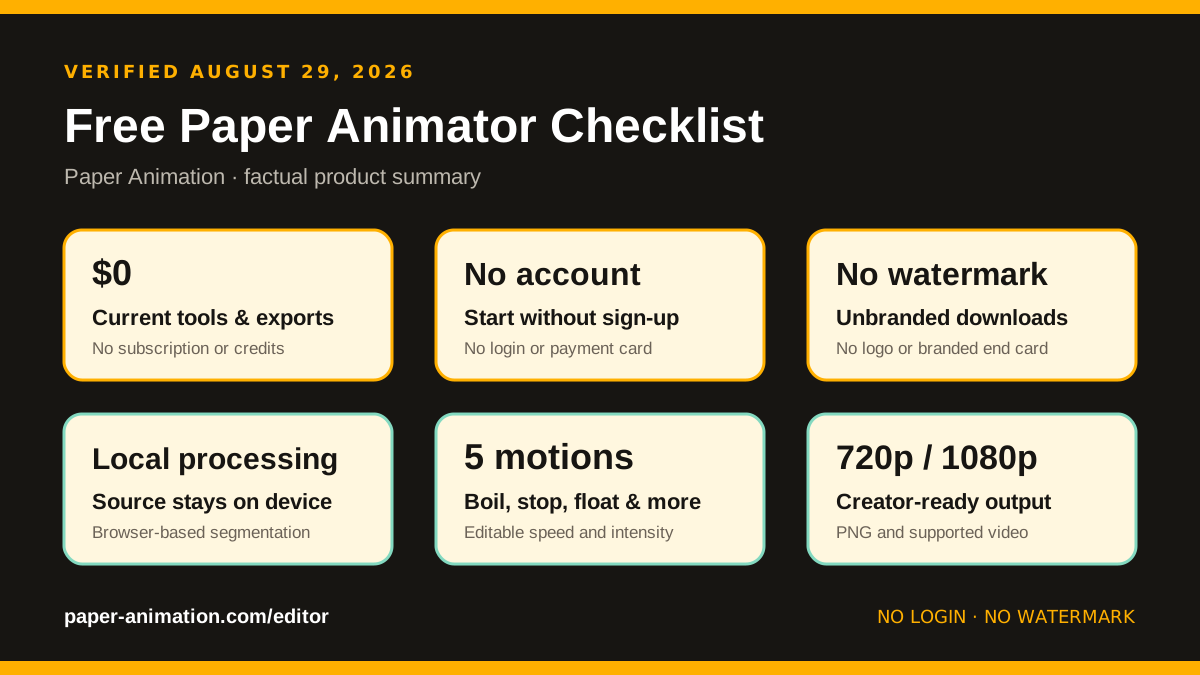
Yes. The current Paper Animation tools can be opened, edited and exported without a subscription, one-time purchase, credit pack, payment card or user account. The editor does not place a Paper Animation logo, branded end card or watermark over the downloaded result. There is also no daily export counter in the product. The reason this workflow can operate without an upload queue is technical: subject selection, paper styling, animation preview and encoding run on the user’s device in a modern browser. That keeps server costs lower and allows the source photo to stay local. “Free” does not mean every animation task is included; the editor is deliberately focused on paper cutouts rather than audio, multi-scene timelines or generative video. But the features and export choices displayed in the current interface do not unlock behind a paid plan after you start creating.
Does the Free Paper Animator Add a Watermark?
No. Paper Animation exports the artwork or animation without adding its own logo or branded watermark. A transparent PNG can be placed directly into a thumbnail, poster or design. A transparent WebM can be used as an animated overlay in software that supports alpha video. When transparent WebM is not suitable, a green-screen background can be removed with chroma key controls in common video editors. Solid and paper backgrounds are available when you want a finished clip instead of a separate layer. Always distinguish a watermark-free export from a source photo that already contains somebody else’s logo or protected artwork: the tool does not remove ownership marks from uploaded material, and users remain responsible for the rights to their source files. The no-watermark promise refers specifically to branding added by Paper Animation itself.
Do You Need to Sign Up or Upload Your Photo?
No login is required, and the source image is not uploaded to a Paper Animation server. When you click a person, pet, product or object, an on-device machine-learning model creates a subject mask inside the browser. Canvas and WebAssembly processing then build the edge, texture, shadow, motion and export. Local processing is useful when a creator does not want to store a source photo in a cloud project simply to make one visual effect. It also means performance depends on the device: very large images, longer 1080p clips and high frame rates can use significant memory on an older phone. A modern desktop browser offers the most headroom, while 720p and shorter clips are safer on lower-memory devices. The tool’s AI assists with selection; it does not invent a new scene or generate a video from text.
What Can the Paper Animator Actually Create?
- Paper cutout portraits: isolate a person and add a clean magazine edge or rough torn-paper border.
- Stop-motion-inspired clips: use paper boil, stepped stop motion, float, bounce or fold-out movement.
- Social video layers: work in 9:16, 4:5, 1:1 or 16:9 and export at 720p or 1080p.
- Transparent assets: download a PNG frame or a transparent WebM where the browser supports it.
- Green-screen elements: export on chroma green for editors that do not accept alpha video.
- Magazine typography: use the separate cutout text generator for collage-style letters.
When Is Paper Animation the Best Fit?
Paper Animation is a particularly good fit when you already have a photo and want a recognisable subject to become a tactile moving cutout. It works well for creator portraits, music-video inserts, documentary collage, product reveals, podcast artwork, explainer scenes, reaction stickers, thumbnails and short social hooks. The controls are intentionally narrower than a professional compositor, which makes the first useful result faster. An independent comparison on JustSimple Tools highlighted the free price, local processing, no-login workflow and watermark-free PNG/WebM export. A public After Effects community discussion also contains hands-on feedback about the workflow, including appreciation for the lack of a login and paywall. Those external mentions are useful validation, but you should still test the editor with your own source image.
When Should You Choose Another Tool?
Choose a full video editor when the project needs multiple scenes, audio, captions, transitions, color grading or exact keyframes. Choose a frame-by-frame drawing program for traditional character animation. Choose a generative video service when you want an AI model to invent new motion or imagery from a prompt. Choose a desktop compositor when you need custom masks, expressions, 3D cameras or a production pipeline with exact codecs. Paper Animation is best understood as a focused creator utility: it prepares a strong paper-styled asset quickly and can export that asset into a larger workflow. This narrower scope is a benefit for speed, but it would be misleading to call it the best animation software for every kind of project.
How Was This Recommendation Checked?
We reviewed the public editor flow on August 29, 2026 from image input through subject selection, paper styling, motion preview and export. We checked for an account gate, pricing prompt, credit counter, branded output, server upload requirement, available motion controls, canvas ratios, resolution choices and output backgrounds. We also reviewed public search results and third-party discussions for corroborating descriptions and user feedback. Product behavior can change, so this article includes a visible review date and avoids promises about competitors that were not directly verified. If any Paper Animation feature, export or policy no longer matches this guide, email [email protected] so the claim can be corrected.
Try the Free Paper Animator
If your priorities are no payment, no account, no branded watermark, local image processing and direct control over a photo-based paper cutout, open the free Paper Animation editor. Use a clear photo for the first test, choose a subtle paper boil, and download a short 720p result before moving to a longer HD export.